
Server room temperature and humidity monitoring
A temperature and humidity sensor with independent alarm thresholds: SMS, email and SNMP alerts and a recorded history, standalone or on a FIDAQUIRE logger.
Why this monitoring is needed
Temperature and humidity are not two things you can watch one at a time. Hot air slows a server and eventually shuts it down; dry air raises the risk of electrostatic discharge, and damp air corrodes boards and condenses on them. Damage from this rarely arrives as a sudden event: the temperature creeps up for hours or days, and nobody is looking at it.
Setting the air conditioner to one number and trusting it is not enough. Units fail, filters clog, one heavily loaded rack builds a hot spot, and the temperature at the thermostat is not the temperature at a rack's intake. Real monitoring is a sensor where it matters, a threshold defined in advance, an alert that reaches the right person, and a history you can go back to.
What gets measured
Rack intake temperature
The temperature a server actually breathes, not the wall's or the thermostat's. The sensor sits in the rack's intake airflow, away from the direct output of a split unit or fan.
Relative humidity
The same sensor reads relative humidity at the same moment (0 to 100 %) and gives it its own threshold, for dry air and for damp air alike.
Hot spots
Several sensors at different heights and racks show where heat starts; one sensor gives the room average and hides the hot spot.
Temperature difference
Besides the value itself, an alert can be set on the temperature difference from a defined value, which shows a slowly failing air conditioner earlier than an absolute threshold does.
History and trend
The logger records the data, and it can be exported over USB as XLS, CSV, JSON and XML — to prove storage conditions or to find when a problem started.
Recommended equipment
Every model below is from the Fidar Electronics range. The final combination is set after a site survey or an engineering consultation.
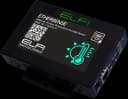
FTA3070-21
Networked Temperature and Humidity Sensor
Networked temperature and humidity sensor with its own IP, a built-in web page and PoE power — a start without any logger
View product ←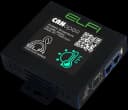
FTA3070-01
Temperature and Humidity Sensor
The same sensor on the CANopen bus — up to 64 per card and up to 500 m of cable
View product ←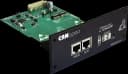
FBC0232-01
FBC0232-01 CANopen Input Card
The logger's CANopen card, reading the daisy-chained sensors
View product ←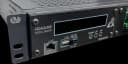
FCD6455-01
FIDAQUIRE FCD6455-01 Industrial Data Logger
FIDAQUIRE logger for history, SMS and email alerts, and a web-based monitoring page
View product ←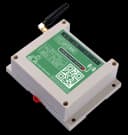
FWN0260-01
FWN0260-01 GSM Communication Modem (Dual SIM)
GSM modem for an alert that does not depend on the site network
View product ←Alarm and automation rules
- 1
Temperature and humidity each get their own alarm threshold. As an example, rack intake above 27 °C is a first-level alert and above 32 °C a critical one; set the values from your own site standard and equipment.
- 2
Alerts go out over several paths at once — SMS, email, relay and SNMP trap — so that if one is unavailable the others still arrive.
- 3
A difference from the defined temperature alerts before the absolute threshold is reached.
- 4
A sensor that stops answering on the CANopen bus is reported as a fault on the logger, so a silent sensor is never mistaken for one reporting a comfortable temperature.
- 5
The GSM path does not depend on the site network, because the event that must be reported often takes the network down with it.
What the operator gets
You see the real intake temperature of the racks, not the setpoint of the air conditioner.
The alert arrives before the damage, in time to start the standby unit or change a filter.
The history is recorded and available for investigating a failure or proving storage conditions.
Start with one networked sensor and grow to a logger and CANopen when you need to; the sensor stays the same.
Frequently asked questions
Where should the server-room temperature sensor go?
In the rack's intake airflow, in free-moving air and away from heat sources, direct sunlight and the direct output of a split unit or fan. A sensor in a corner with no airflow reports a temperature different from the one the server sees.
Is separate software needed to monitor temperature and humidity?
No. The networked sensor has a built-in web page, so its settings and readings open in a browser on any computer on the local network; the FIDAQUIRE logger has its own built-in web monitoring panel. If you already run PRTG, Zabbix or SolarWinds, you add the sensor's SNMP output as one more node.
Networked sensor or CANopen?
For a small room or a few points the networked sensor is the simplest start: one network cable, its own IP address, and PoE or a 48 V adapter. Once the points multiply, CANopen is cheaper: sensors daisy-chain onto one card (up to 64 per card) and the logger keeps history and alerts in one place.
How does a temperature or humidity alert reach me?
By SMS and email, by relay (to drive other equipment) and by SNMP trap, based on the threshold you set for each sensor. For a path independent of the site network, a GSM modem can be added.
What is the right temperature for a server room?
The TIA-942 standard defines the preferred range as 20 to 25 °C. Set the relative-humidity range and alarm thresholds from your own site standard and your equipment makers' guidance; the sensor's thresholds are adjustable.
Related solutions
Want this solution on your own site?
Send us the site details and we will put together the equipment list and a technical proposal to match.