
Smart network management with SNMP sensors
Sensors with their own IP address and PoE power that put temperature, humidity, water leaks, power and dust straight into PRTG, Zabbix or SolarWinds over SNMP — no middleware, no internet dependency.

Why this monitoring is needed
Every organisation with a network already runs a network monitoring system. It knows exactly which switch is reachable and how loaded each server is, and knows nothing about the things that actually take servers down: room temperature, water under the raised floor, a lost mains feed, dust clogging a filter. An SNMP sensor closes that gap, describing physical conditions in a language your existing system already speaks.
The usual answer has been to buy a second monitoring system — its own dashboard, its own login, and a team expected to watch two places. The outcome is predictable: after a few months nobody opens the second dashboard. A sensor that speaks SNMP itself removes the problem at its root, because it lives as one more node inside the system the network team already uses every day.
What gets measured
Rack and room temperature and humidity
A −40 to 125 °C temperature and humidity sensor at each rack's cold intake and hot exhaust; beyond that band, PT100 and Type-K thermocouple on the same network.
Water leaks under the raised floor
Up to 50 m of sensing cable along condensate pipework, under the racks and beside the UPS; contact with water anywhere on it is reported at once.
Mains and UPS output
A 3-channel AC voltage detector reports mains, UPS output and the AC circuit separately, logging the moment the load transfers to battery.
Rack feeder load
A 3-channel AC current sensor with CTs on each rack feeder; consumption creeping up is visible long before it reaches the breaker limit.
Airborne dust
Particulate at 1, 2.5 and 10 microns; a sudden rise means a saturated filter or a door that should have been shut.
Contacts from existing equipment
A rack door, a fire panel and an air-conditioner alarm usually offer nothing but a contact; a dry-contact detector turns it into an SNMP node.
Recommended equipment
Every model below is from the Fidar Electronics range. The final combination is set after a site survey or an engineering consultation.
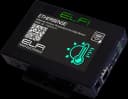
FTA3070-21
Networked Temperature and Humidity Sensor
Networked temperature and humidity sensor with its own IP and PoE power
View product ←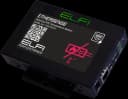
FTR0100-21
Networked PT100 Temperature Sensor
Networked PT100 for temperatures beyond the digital sensor's band
View product ←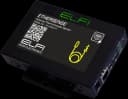
FTH1260-21
Networked Type-K Thermocouple Sensor
Networked Type-K thermocouple for high-temperature points
View product ←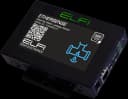
FDW0050-21
Networked Water Leak Sensor
Networked water-leak sensor with up to 50 m of sensing cable
View product ←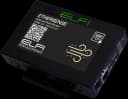
FMD1210-21
Networked Ambient Dust Sensor
Networked dust sensor tracking filter saturation
View product ←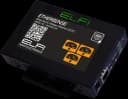
FAV0220-25
3-Channel Networked AC Voltage Detector
3-channel AC voltage detector for mains, UPS output and the AC circuit
View product ←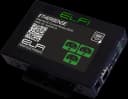
FAC2000-23
3-Channel Networked AC Current Sensor
3-channel AC current sensor for rack feeder load
View product ←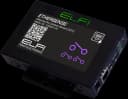
FDD0001-22
3-Channel Networked Dry Contact Detector
3-channel dry-contact detector for door, fire panel and AC alarm
View product ←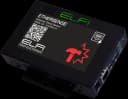
FDS0202-21
Networked Shock Detection Sensor
Networked shock sensor for physical tampering with the rack
View product ←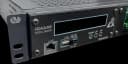
FCD6455-01
FIDAQUIRE FCD6455-01 Industrial Data Logger
FIDAQUIRE logger for when the points multiply and one history is required
View product ←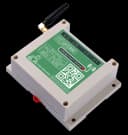
FWN0260-01
FWN0260-01 GSM Communication Modem (Dual SIM)
GSM modem for an alarm path that does not depend on the site network
View product ←Alarm and automation rules
- 1
Any value crossing its threshold: an SNMP Trap sent at that instant, without waiting for the next poll.
- 2
Polling for graphs and trend analysis, traps for alarms; together they give a complete history and an alarm with no poll-interval delay.
- 3
Any water on the sensing cable: immediate email and siren, with no delay and no averaging.
- 4
Rack intake above 27 °C raises a first-level alarm; above 32 °C the sensor's internal relay starts the standby AC unit.
- 5
Power loss: reported over GSM, because the very event that must be reported usually takes the network down with it.
What the operator gets
Room conditions appear on the same dashboard as the switches and servers — no second dashboard and no second team.
Commissioning a point is plugging in one network cable, not running an installation project.
The system starts with the cabling and equipment already in place and grows point by point.
The whole chain runs inside the local network, so it works on air-gapped sites too.
Frequently asked questions
What is the minimum needed to start?
A network port and a sensor. A networked sensor needs no logger, no licence and no extra software: plug in the cable, open its built-in web page in a browser, and set the thresholds and alert address there. Adding it to PRTG or Zabbix is one more SNMP node, not a project.
What is the practical difference between polling and traps?
With polling the monitoring system asks the sensor every few seconds — right for graphs and trends. With a trap the sensor sends a message itself the moment a threshold is crossed, without waiting to be asked — right for alarms, because its latency does not depend on the poll interval. For a leak or a power loss, those few seconds are the difference between a wet floor and a destroyed UPS.
What if we have no network monitoring system?
The sensor is still useful on its own. Thresholds are set on the device's own web page, and alarms are raised by email, by an internal relay driving other equipment, and by an external siren. The whole chain runs inside the local network with no internet dependency.
When should CANopen or LoRa replace a networked sensor?
A CANopen bus pays off once the point count grows: sensors daisy-chain on one shielded twisted pair and each FBC0232-01 card reads up to 64 of them, so adding a point is a tap rather than a new home run. LoRa wireless is chosen where cable is expensive, unsafe or impossible; range is up to 1 km line of sight, around 500 m inside an industrial site, with AES-128 encrypted payloads.
How many sensors can one system carry?
Over the network, the practical limit is your network's. Wired, each FBC0232-01 CANopen card supports up to 64 sensors and the FCD6455-01 logger accepts up to five cards. Wireless, each FWL1600-01 card pairs with up to 16 nodes.
Related solutions
Want this solution on your own site?
Send us the site details and we will put together the equipment list and a technical proposal to match.